Your familiar library
Use Apple Photos to browse, organize and edit the pictures you take on Android.
Android → Apple Photos
Keep the phone you love and the photo library you love. Pairo sends new Android camera photos to your Mac over local Wi-Fi, then its optional import workflow puts them in Apple Photos.
Start with Pairo on Android Five transfers free · unlock unlimited sync onceAlready have Pairo? Download the free Mac workflow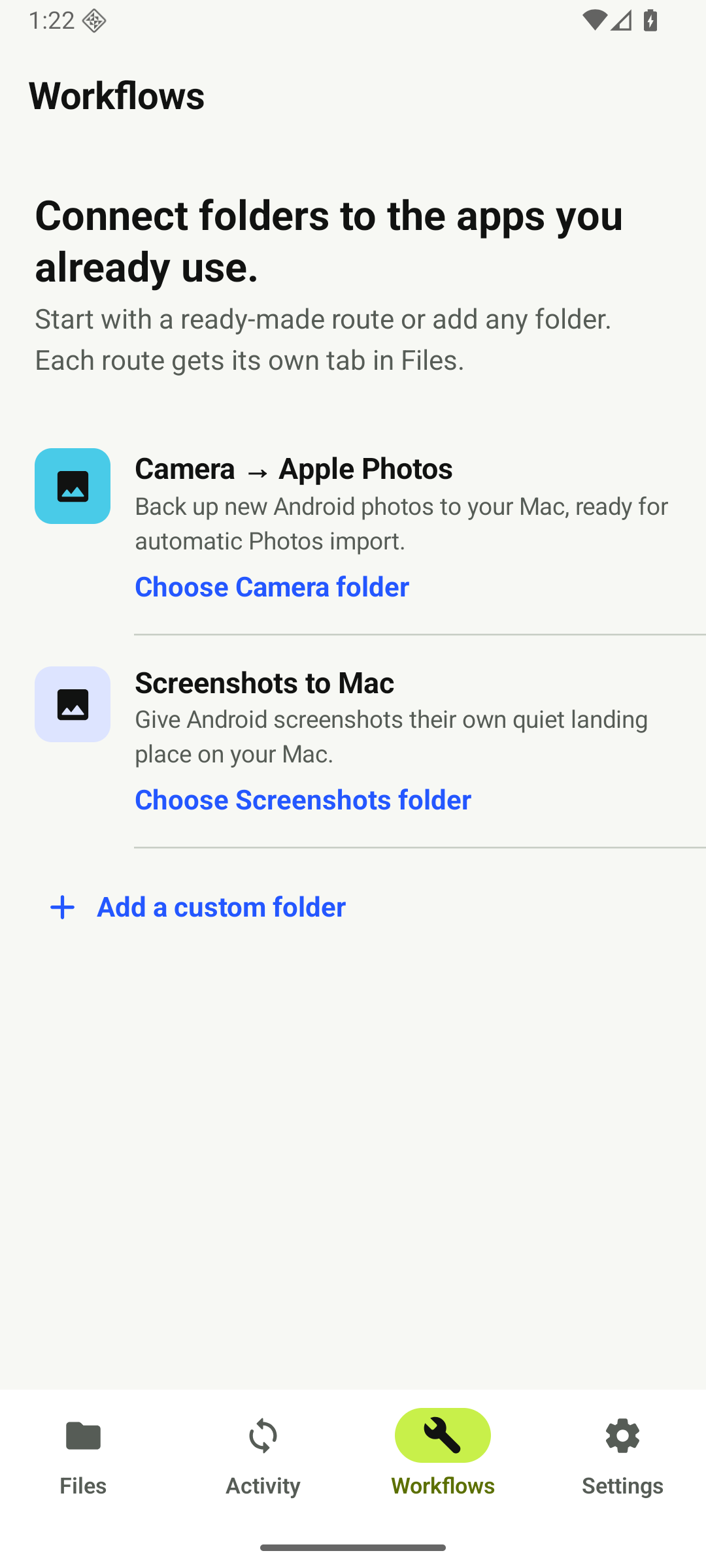
Once your camera route and Mac import are set up, new supported photos and videos arrive in your actual Apple Photos library when your phone can reach the Mac.
Use Apple Photos to browse, organize and edit the pictures you take on Android.
The Android-to-Mac transfer uses your trusted local Wi-Fi. No Google Photos account or cloud upload is required for this route.
Use macOS File Sharing and the included Automator app. No Pairo Mac app or recurring Pairo subscription.
Connect Pairo to your Mac, open Workflows → Camera → Apple Photos and choose your Android camera folder. Then set up the free Mac workflow once:
In Photos → Settings → General, enable “Copy items to the Photos library.” This is required before the inbox can clear safely.
Open Pairo Photos.workflow in Apple Automator.
Select the folder Pairo created inside your shared Mac folder.
Allow Photos access, send one test image, then open it in Photos after the inbox copy disappears.
Automator is built into macOS. The readable workflow runs only when a file arrives, imports it with Apple Photos, and leaves failed files in Photos Inbox for recovery.
Download workflowYes. Pairo sends new files from your selected Android camera folder to a Photos Inbox on your Mac. Its optional macOS Automator Folder Action imports arrivals into the Apple Photos library after you set it up once.
Neither is required for this workflow. Pairo transfers over your trusted local Wi-Fi and the import runs on your Mac. If you already use iCloud Photos, Apple can sync the imported library items using your existing Photos settings and available iCloud storage.
The camera workflow imports from Android into Apple Photos on Mac. Apple Photos edits, albums and deletions are not mirrored back to your Android gallery. Pairo supports two-way ordinary folder sync separately.
Your first five completed file transfers are free. Failed attempts and the welcome test file do not count. A one-time Pairo Unlimited purchase keeps your folders and automatic routes syncing beyond the five-transfer trial. The optional Mac import workflow is free and open source; no Pairo Mac app is required.